iGoogle Follow-up

Blogs and Blogging, Links, Salem City Schools  Tagged , , No Comments »

Following the our iGoogle Workshop, I’ve had a few requests for blogs to add to your iGoogle page.  Here are a few I like to follow:

Technology in Elementary Classrooms:

Welcome to NCS-Tech
Instructional Technology Specialist
Artful, Tuneful, Beatful
Digital Passports
My Technology Journey
Primary Preoccupation
Tech Thoughts by Jen

Other ITRTs
(Pam Elgin) Technology Medley
(Meg Swecker) Giant Stride
(Brian McKee) Brians TRT Blog

I have many more of these if you want…

Gifted
(Amanda Gibson) The Gifted Corner

Smartboard Blogs:
Teachers Love Smartboards (probably my all-time favorite)
Talking SMARTBoards & Much More!

News:
BBC News in Pictures
CNN Top Stories
So Salem Blog
Roanoke Times

If you need help remembering how to add an RSS feed to your iGoogle Page, don’t forget to take a look at your iGoogle Handout.

If you find that you have a lot of blogs that you want to follow, it might be good to start using Google Reader.  Will visit that topic soon! ;)

Feel free to comment and add some of your favorites!

New ITRT Site

Links, Salem City Schools  Tagged No Comments »

The Salem ITRTs are happy to announce our new web site located here:
http://salem.k12.va.us/itrt
.

It’s far from complete, but please take a look at the Elementary section and then click on Links. Here you will find numerous links for your students to use in almost every subject. We will be adding to these throughout the year, so please let me know if there is a specific site you’d like to have added.  Soon, this area of the site will replace the “Links for Kids” site we have been using.

The Teachers Corner will eventually have links especially for teachers.  Support Materials include links to handouts that we have used in previous workshops as well as a few online tutorials. We hope to continue to add to these materials as time allows. Our ultimate goal is to provide a resource that you can use to enhance your use of technology in your instruction.

The Links pages are actually bringing in links from Delicious. You can check out our account here. If you click on one of the links pages and only see headers, you probably have an older version of Internet Explorer on your computer and we need to get you updated. You’ll be able to see the links though if you just refresh the page.

I hope you find this helpful!

Do You Know Your Technology ABC’s?

Ideas, Salem City Schools, Tech Tools, TechABCs, Web 2.0  Tagged , , No Comments »

Flip through the Technology ABC Voicethread below!

  • Which terms/sites/items have you used before?
  • Which ones are new to you?
  • How can you use these things in your classroom?

As you flip through the Voicethread, click on the link to explore more about each “letter,” leave a comment or two if you are familiar with some of the topics and have ideas on how to use them in your teaching , and stay tuned for some more detailed posts!!  I’d also be interested to know if you can think of anything to add.  AND, if you want to learn to use something new in your teaching, I’d love to help!  Leave a comment for that too!

About this Project

Awhile ago, maybe even this summer, some discussion arose in Twitter and/or Plurk about the idea of a technology ABC poster (I’m sorry, I can’t remember exactly WHO started the discussion to give credit.  If it was you, leave me a comment please).   And through those discussions, Pam Elgin and I came up with the idea of a Technology Word Wall and started adding to the list using things that our teachers might use.  Pam recently worked very hard to create PowerPoint slides for this project on each letter, which you will soon see in our schools’ computer labs.  Meanwhile, I thought it would also be fun to post the final product in virtual form via VoiceThread, complete with links to each of the topics.  Hope you learn something from it!

Update:  Pam has posted the actual powerpoint file for you to download or print slides here!  Thanks, Pam!

Kicking off the Year with Fun Class Projects

Projects, Salem City Schools  Tagged , , , , , , , , 3 Comments »

Looking for a way to bring real-world learning into your classroom with projects? Well, there are tons of things you can try out this year, from a small, one-time project, to a year-long project. Some contain extensive use of technology while others have very little. I’ve found some great ones recently I just had to share with you…I’m looking for classrooms willing to try one or more of them out!

Projects with Jen

Jennifer Wagner organizes on projects all year long with teachers around the world on her Projects with Jen Ning (and yes, this is probably blocked at school…but don’t worry…it’s safe). The third grade at G.W. Carver participated in one of her projects last February called From Me To You 2008. They really enjoyed it, so I’m trying to get other teachers to try out some of her other projects. Here’s a few upcoming projects that really caught my eye:

O.r.e.o. (Our Really Exciting Online) Project 2008!

  • Runs from: Sept. 15-Oct. 10
  • Could be completed in 1 or 2 class periods, but includes enrichment ideas to take it further.
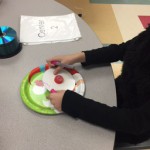
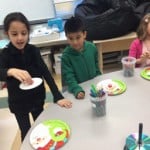
  • Entails stacking Oreo cookies and comparing results from around the world.

A Room with a View

  • Runs all year long with a picture and a writing assignment once a month.
  • Teachers will learn to upload digital pictures to a picture sharing site.
  • Students take a picture from a window in the classroom/school once a month and write about what they see. The share their pictures from classes around the world to see how seasons vary.

Gingerbread Man 2008

  • Runs from Nov. 1- Dec. 20.
  • Contains a variety of activities to go with the Gingerbread Man story, most of which require only a little bit of technology skill.

Storychasers

For older grades, Storychasers might be a fun way for your students to improve their writing skills while learning more about their families and community. It is described as “a multi-state (and potentially multi-national) educational collaborative empowering students and teachers to responsibly record and share stories of local, regional and global interest as citizen journalists. There are a variety of types of stories your students can collect, including biographies, careers, and (the one that REALLY caught my eye) ghost stories.

Ghost Stories with Story Chasers

  • Would like to do this project around October. Will take at least 3-4 class periods.
  • Students will collect and share local ghost stories via a podcast or digital story.
  • I’ll be really actively involved in assisting with this project in my schools, especially when it comes time to record and share stories.
  • More info to come.

Regions of Virginia Project

  • This project is open to 4th Grade Classrooms in Virginia. It meets 4th Grade Virginia Studies SOLs and Writing objectives. This project will run from Oct. 1-April 24, 2009. Registration is open now until Sept. 29!!
  • Students will collaborate with other 4th graders across Virginia to describe, compare, and contrast regions. They will use a Wiki, Google Maps, and possibily other technology tools.
  • This project is being coordinated by a group of ITRTS, including myself. I’ll be activly involved in assisting with this project. If you teach 4th grade at one of my schools, I’ll be bugging you about this very soon!

Ocean Threads

  • Will be open to all grade levels. Great for habitats, ocean animals, camoflauge, and other topics.
  • Students will formulate questions, as a class and in collaboration with other classes, to ask Meg Swecker. Meg will be embarking on a scuba diving expidition, and will answer the questions using actual pictures she’s taken underwater.
  • I’ll be happy to help teachers in my school learn to use Voice Thread and assist you with recording your students questions. As you collaborte with other classes to create questions for Meg, I’ll help facilitate that for you.
  • More info to come as Meg plans her next trip!

Math Zoo

  • This is a project is in the piolot phase and will be open to 3rd graders in select Salem City, Roanoke County, and Roanoke City schools. G.W. Carver and East can participate! It will target Math and Science SOLs skills with Mill Mountain Zoo activities.
  • More info to come! Let me know if you work with 3rd graders at one of my schools and are interested.

Wordle Word Clouds

Ideas, Lessons, Links, Projects, Salem City Schools, Tech Tools, Web 2.0  Tagged , , , , , , , , 13 Comments »

Wordle is a really fun, east web tool that turns words into art called “word clouds.” These word clouds emphasize words that are used more often in a piece of text. Wordle makes text clouds from text you enter, from blog RSS feeds, or from delicious tags. There are even options to change font color, type, and the design of the words.

Lots of people, including Pam Elgin, have been tossing around ideas for the use of Wordle in classrooms. Here’s a few you might want to try!

About Me

Have students type their name three times (this will make it bigger than other words). Then have them type words that mean something to them. This would be a great back to school activity.

Describe a Famous Person or a Literary Character

You could do the same activity, but with a famous person.

Adjective Collage

Create a collage of adjectives. In the Wordle Text box, type the noun you want to describe three times (this will make it appear bigger than the other words). Then list all the descriptive words you can think of to describe the noun. Here’s an example:

First Name Welcome

This idea is a great one from Pam. Create a Wordle with the first name of the students in your class to hang on your door. (Example by Kristin Kap)

Type in Spelling or Vocabulary Words

Use for student practice with spelling or as a way to introduce new words in a unit! Students will love making designs and changing font, color, and layout after they have finished typing in their spelling words.

Use as a Hook or a Visual Cue

Create a Wordle to introduce a new unit of student or to help give students a visual of a concept. Here’s one for question words:

Create a Funky Twist on an Acrostic or ABC Book

If you want the words to fall in somewhat ABC order, make sure to check “prefer alphabetical order” under layout.

Quickly Make a Funky Sign

Brainstorming on a Topic
(Music example by hbryson)

Book Review

Have student list all the words they can think of to describe a book or a chapter. Remember to have them type the important words more than once so they are bigger.

Vocabulary Words to Practice Reading
(Dolch Word List)

Letter Hunt (for Kindergarten)

You could do different versions with different fonts!

Pre-Reading Strategy

Show students the words from a poem or story and have them predict what it will be about. The Wordle below is from the poem Cannonball by David Crwwley.

Misuse of Common Words

Have students type in a story to see what words they use the most. Make sure they choose “Do Not Remove Common Words” under “Language” to see them all. Here’s an example from one of my summer school student’s blog (most used words include I, like, and):

And another in which the student started almost every sentence with “He.”

I could go on and on and on…I LOVE this tool! What kind of things can you think of?

Word of Caution: Be cautious about the Gallery. I’d recommend you NOT allow your students to browse through it….anyone can make a Wordle, and some are not as nice as others.

Update: Just learned something new, thanks to JBlack’s Awesome use of Wordle! You can keep words together in Wordle if you use a tilde (~) mark between words. So here’s another idea (and yes, I promise to stop now)!
Idioms
Create a Wordle with Idioms. To keep words together, put a ~ between each word in the idiom. (Spill~the~beans.) This may be a little tedious for younger kids, but shouldn’t be too hard for older ones!

Bridgemaker

Food for Thought, Links, Salem City Schools, Tutorials, Video  Tagged , 2 Comments »

Very simple explanation of my job!

This comes from the 60 Sec Tech site. It has great, short video tutorials on technology, especially the Smartboard!

Do ITRTs Make a Difference?

Food for Thought  Tagged , , , No Comments »

A recent report from SETDA (State Educational Technology Directors Association) found that we do!

“In 2006, the Virginia Department of Education commissioned a study that examined the relationship between the instructional technology resource teacher program and levels of technology practiced in schools, impact of the instructional technology resource teacher program on classrooms and teachers, and impact of the instructional technology resource teacher program on students. The results indicate major improvements occurred in 32 % of the subject areas tested by the Standards of Learning tests, most dramatically in English reading. “

If you’d like to see a summary of the report for yourself (which also shows programs other states are implementing), click here.

A big, “Thanks!” to Brian McKee in Portsmouth for sharing the info on his blog.

Scuba Diving ITRT Embarks on Another Adventure

Projects, Salem City Schools, Web 2.0  Tagged , , , No Comments »

Meg Swecker, an ITRT for Roanoke County, is getting ready to take another scuba diving trip, and she wants to take you with her virtually! Listen to the voice thread below. If your class would like to send her questions for her to answer while she’s there, let me know! I’ll teach you how to use Voicethread!

What is RSS?

Blogs and Blogging, Links, RSS, Salem City Schools, Tech Tools, Video, Web 2.0  Tagged , , , , , , 2 Comments »

This past year I’ve noticed that a bunch of educators in our system have started blogging. One of the easiest ways to keep up with all these new blogs (in one place) is to use RSS. Here’s a simple explanation created by commoncraft:

I use Google Reader, but there are other feed readers out there like Pageflakes or Netvibes. If you want one already set up for you, check out this one on Pageflakes–it’s all set up for Salem City Schools, complete with RSS feeds for the blogs I know about (let me know if I’ve missed yours), local weather, and local news. You can bookmark it and use it like it is or create your own account so you can add your own things.

SCS Feeds Page on PageFlakes

Download Video: Posted by tcoffey at TeacherTube.com.

Update (1/7/08)

I’ve noticed that Pageflakes sometimes runs really slow at school. If you are having trouble, you can use Netvibes instead. I’ve set up the same feeds there too. Netvibes does take awhile to load initially, but if you login and save the page, the next time you visit, it will load a lot quicker. Click here to try: Add to Netvibes After you click on this button, make sure to choose “yes” to preview the page and “yes” to add it to your page, even if you do not have a Netvibes account yet.

Color Coded Maps

Ideas, Links, Salem City Schools  Tagged , , , , , , No Comments »

I thought this site (which lets you custom create a map of states) is pretty fun. Here are the places I traveled in 2007. I’ve have to do some research back into vacations during my childhood to figure out where I’ve been in my lifetime…we did a lot of driving when I was little.
create your own visited states map

There is also a site that will create a custom map of countries…here’s my very limited map of my lifetime…
create your own visited countries map

I could see uses for these sites in the classroom (beyond where you’ve traveled) like stories the class has read from around the world or correspondence with other classrooms or a Flat Stanley project. Do you have any ideas?


WordPress Theme & Icons by N.Design Studio. Hosted by Edublogs.
Entries RSS Comments RSS Log in