• Home
  • About
  • Calendar
  • Resources/Handouts
  • Archive
Blue Orange Green Pink Purple

Posts Tagged ‘Instructions(SCS)’

You can use the search form below to go through the content and find a specific post or page:

Oct 03

Reaching your “h drive” at home

While you can’t actually “reach” your h drive at home, you can sync it.  Here’s how: From school, open My Computer, and right click on your H drive. Select “Make Available Offline.” When you shut down your computer at the end of the school day, it will sync your H drive contents. Then from home, [...]

Oct 03

Adjusting the power scheme on your laptop

Adjusting the power scheme on your laptop: right-click on your desktop background choose Properties click the Screen Saver tab click the Power button click on the drop-down arrow for the Power schemes (presentation works well) view the different schemes and settings make any changes you desire click OK This will keep your computer from going [...]

Oct 03

Installing a network printer

Installing a network printer: 1. Click on the Start button 2. Click on Run 3. Type this: \\ps and click OK (the ps stands for print server) 4. Scroll down to the printer names that begin with “e” for East or “g” for GWC 5. Double click the printer you wish to install 6. When [...]

Jun 05

Quizdom PRS (Clickers) Tutorials

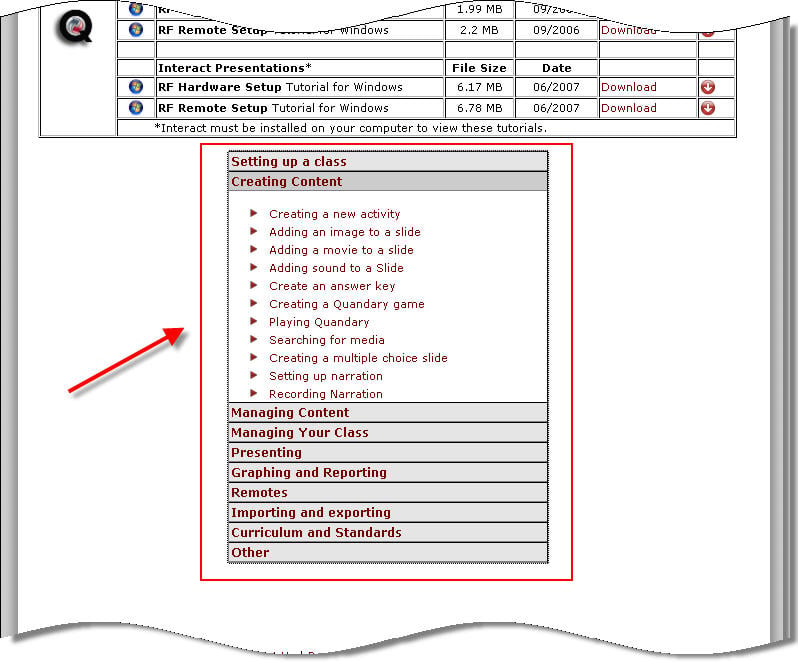
I know lots of teachers have wanted to use the Quizdom Personal Response System (clickers) this year but haven’t found the time to sit down and “play around” with the software. The software is installed on teacher laptops, so if you want to look at it over the summer (or just remember this post for [...]

Apr 11

Upside down and Sideways Computer Displays

I’ve had a few questions lately about upside down and sideways computer screens.  There’s an easy fix to this problem!  The following keystroke combinations will change your computer display: Ctrl + Alt + Up Arrow — right side up Ctrl + Alt + Right Arrow — sideways 90 degrees Ctrl + Alt + Down Arrow [...]

Mar 19

Download Handouts

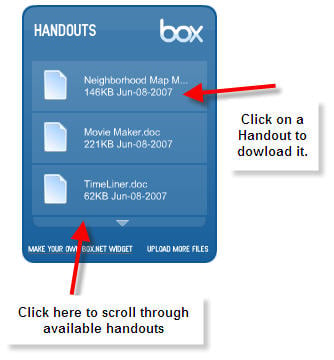
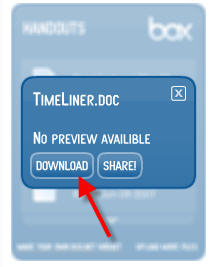
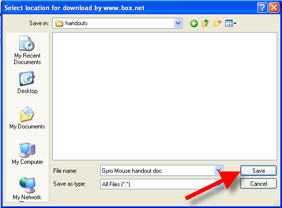
There are handouts for most of the programs we use at school (and some websites too) available in the blue box to the right. Here’s how you find them: Use the arrow at the bottom of the box to scroll though the list of handouts. When you find one you want, click on it. Then [...]

Jan 12

Using Word Docs and PowerPoints with the Smartboard

I’m dedicating the next two or three posts to answering some Smartboard questions that have been asked since our recent in-services. This is one I’ve heard a lot: How do I use my Word Documents and PowerPoint shows with the Smartboard? It just so happens I ran across two really great 60 second videos to [...]

Dec 31

What is RSS?

This past year I’ve noticed that a bunch of educators in our system have started blogging. One of the easiest ways to keep up with all these new blogs (in one place) is to use RSS. Here’s a simple explanation created by commoncraft: [kml_flashembed movie="http://www.youtube.com/v/AwtmOPdrEL8" width="425" height="350" wmode="transparent" /] I use Google Reader, but there [...]

Nov 10

Smartboards

I’ve been frequently asked about learning to use the Smartboard. Well, here are some links that will help you get started! First, if you are on a computer that doesn’t have the Smartboard’s Notebook software (for instance, if you are working from home), download it by clicking the link below: SMART software After you’ve played [...]

Oct 01

Assigning Students Fast Math

Log into your teacher account. Click on the settings tab. Select all your students by clicking on the first person, holding down the shift key, then clicking on last person. Left click on the small triangle under “program assignment.” Choose what problems to assign. Green circles will appear by each child’s name. This means they [...]

Older Posts »

Teaching with Technology

  • About
    Tina Coffey is an Instructional Technology Resource Teacher for Roanoke County Schools, in Roanoke, Virginia.
  • Categories
  • Quote
    "If we teach today's students as we taught yesterday's, we rob them of tomorrow." -John Dewey
  • Schools
    • Clearbrook Elementary
    • Glenvar Elementary
    • Oak Grove Elementary
  • Educational Geocaching
    • Adventures in Learning (Geocaching Blog)
    • Geocaching Teachers on Facebook
  • Visitors
    Locations of visitors to this page
  • Archives
    • May 2013
    • April 2013
    • March 2013
    • February 2013
    • December 2012
    • November 2012
    • October 2012
    • September 2012
    • August 2012
    • January 2012
    • March 2011
    • December 2010
    • November 2010
    • October 2010
    • September 2010
    • August 2010
    • May 2010
    • April 2010
    • March 2010
    • February 2010
    • January 2010
    • December 2009
    • November 2009
    • October 2009
    • September 2009
    • August 2009
    • June 2009
    • May 2009
    • April 2009
    • March 2009
    • February 2009
    • January 2009
    • December 2008
    • November 2008
    • October 2008
    • September 2008
    • August 2008
    • July 2008
    • June 2008
    • May 2008
    • April 2008
    • March 2008
    • February 2008
    • January 2008
    • December 2007
    • November 2007
    • October 2007
    • September 2007
    • August 2007
    • July 2007
    • June 2007
    • May 2007
    • April 2007
    • March 2007
    • February 2007
    • January 2007
    • December 2006
    • November 2006
    • October 2006
  • Search


  • Home
  • About
  • Calendar
  • Resources/Handouts
  • Archive

© Copyright Teaching with Technology. All rights reserved.       Provided by WPMU DEV -The WordPress Experts
Designed by FTL Wordpress Themes brought to you by Smashing Magazine. Hosted by Edublogs.org

Back to Top
    • Edublogs Home
    • Help and Support
    • The Edublogger
    • Community
    • Get A Blog!
  • Log in