Using Flip Cameras with Movie Maker

Instructions, Roanoke County Schools, Tech Tools  Tagged , , , , , No Comments »

flip-video-cameraMovieMakerlogo

There’s two ways to use the Flip Video camera with your Movie Maker software.

First Way–Install Flip Video Software

(Go through the complete process the first time you use your camera with a computer):

  • Plug in your flip video.
  • Choose “View your Videos in Flip Video Software.” (if this option doesn’t already pop up for you, click My Computer > Flip Video Drive > Setup_FlipShhare)
  • Go through the steps to install the Flip Video Software.
  • Now you can export your videos off the flip camera, save them to your computer, or close of out the software altogether. You should also now be able to import videos into Movie Maker.

Second Way–Install the ffdshow Codec

(for lab computers, if you don’t want the flip video software installed, or if the above steps don’t work):

Need to know how to use Movie Maker?  Here’s a Movie Maker Handout.

Now you, and your students, will be able to use your flip video movies in movie maker and create all sorts of great digital stories!  :)

VA Regions Song

Projects, Roanoke County Schools, Video, social studies  Tagged , No Comments »

Fourth Graders at Clearbrook Elementary are participating in a cross-state Virginia Regions project on the Regions of VA Wiki.   While Mrs. Schlosser’s Social Studies classes are participating in some of the projects on the wiki as a group, a few students decided to participate in the podcast project on their own.  During their free time, they created a song about the Regions of Virginia.  After practicing it, it’s been recorded and posted on the wiki.  I’m so impressed that these kids worked on this song on their own, and think they did a great job!  It’s a familiar tune…but after I listen to it, I walk around with their song in my head for hours.  In case you’d like to listen, here it is:

Regions of VA from Tina Coffey on Vimeo.

You can also find it on the Regions of VA Wiki under podcasts.  Nice job, ladies!

If you live in Virginia, there’s still time for your class to jump in an participate in SOME or ALL of the projects on the wiki. Please join us!!

Geocaching with Kindergarten

Geocaching, Roanoke County Schools, Science  Tagged , No Comments »

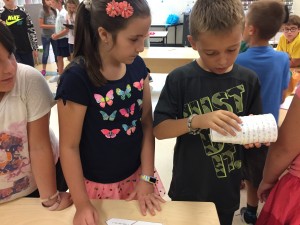
Yes!  It CAN be done!!  Mrs. Harrison and Mrs. Stancil’s classes geocached for the four seasons, and had a blast!  Here are a few really adorable pictures of the event:

Fourth Graders Skype with Kansas Students

Projects, Roanoke County Schools  Tagged , , , No Comments »

The best way to learn about a different place is to visit it, but often field trips aren’t possible.   The second best way to learn about a place is to talk to an expert–someone who lives there.   Fourth  graders in Mrs. Barger’s Class at Glenvar Elementary had the opportunity to do just that as they read the book, Sarah Plain and Tall by Patricia MacLachlin.

To learn more about the setting of the book (a prairie), they talked with other students in Kansas who live near the Tallgrass Prairie National Preserve  in the United States.   They used a program called Skype, a free video conferencing tool, and were able to see and talk with students at Turning Point Learning Center in Emporia, Kansas.  Students prepared questions to ask the students ahead of time, and were able to ask those questions virtually.  They were able to see the class in Kansas, and showed pictures and artifacts from our mountainous area.  Students from Kansas  shared pictures of the prairie they took for the class on a recent field trip.  Students had a blast, and learned all sorts of facts about Kansas.

If this kind of project sparks your interest, let me know.  We can skype about all sorts of topics!

2nd Grade Batty Facts Voicethread

Projects, Roanoke County Schools  Tagged , , 1 Comment »

Mrs. Vest’s class create a Voicethread on Batty Facts to go with their lesson on facts and opinions.  Creating voicethreads on a specific topic gives students a chance to write, practicing reading, and listen back to information, which helps them learn and remember it better. They are also a great way to practice fluency and oral speaking skills.  Students are always amazed the first time they hear themselves read, and I always give them the option to redo their reading if they don’t like it.  It’s neat to see how quickly their reading changes when they can hear themselves! Take a look at their project (and feel free to leave them some comments).

Blogging 5th Graders

Blogs and Blogging, Projects, Roanoke County Schools, Writing  Tagged , , , , 1 Comment »

Mrs.  Hudson’s and Mrs. Graves 5th grade classes at Clearbrook Elementary are blogging!  I’m so proud of the hard work both the teachers and the students are putting into this project!  The kids are very excited, especially about comments they’ve received from some college students in Alabama.   They worked really hard on writing posts about instruments to go with the sound unit they are studied in Science, and they are working on entries about their visit to Apple Ridge Farms.  If you have a few minutes to leave them some comments, they would love it!  It’s so motivating for them to know that their writing is read by a “real” audience!

Here are their blogs:

Mrs. Hudson

Mrs. Graves

I’ll keep them linked to this blog (on the right) in case you want to check back on them later in the year!

O.R.E.O.s

Excel, Lessons, News, Projects, Roanoke County Schools No Comments »

First Grade classes around the county participated in an O.R.E.O. project, including Mrs. Chapman’s class, Mrs. Williams’ class, Mrs. Braun’s class,  and all of Oak Grove’s First Grade!   It was tons of fun, and it all centered around cookies!!

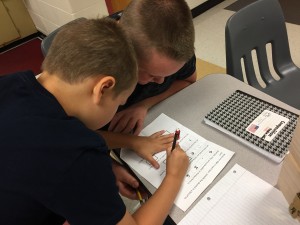
Students stacked cookies to see how tall of a tower they could make before it tumbled and tallied their results. Then, they entered results on a spreadsheet to find a class average and to view a graph.  They discussed the data using words like greather than, less than, and equal to (see example below). 

Oreo Project Example

Oreo Project Example

Click here for a  blank version of the spreadsheet.

Finally, they entered their data into a project database that included data from across the United States, and even a few other countries! To view the project results (including a map of all the participants), click here!  Globally, the class average for stacks was 18 cookies!


Here’s a few pictures from the event:
O.R.E.O. Project 2009 on PhotoPeach

Oh…and just in case your wondering, we did NOT eat the ones we stacked! ;)

Projects, Projects, Projects

Fun, Geocaching, Ideas, Links, Projects, Roanoke County Schools, Web 2.0  Tagged , , , , , , No Comments »
This article is a follow up to yesterday’s inservice at Clearbrook.  We discussed Global Projects, Using Skype, Wiki Ideas, and Geocaching and Geobugs.  Wow, that was a lot of stuff!
 
Shelia Terry from Virginia Beach was able to skype with us and talk a little about her use with Skype with her students there.  She gave us some great information about skype, and send us a link to more Skype info on her wiki!    

We also talked a lot about some existing global projects you can join. 
One of the project places I highlighted was the site by Jen Wagner.  I love her projects!!
 
The other project I mentioned by name was the skype project called Mission 00 Rain about Cloudy with a Chance of Meatballs.  I remember that a few of you were interested in it as well.  It’s for grades 1-3, but you need to register by Oct. 10! 
 
Finally, we did some geocaching and talked about geobugs.  In case you all are interested in geocaching for fun, the geocaching site is www.geocaching.com.  You can create an account for free, and download the locations of caches to many types of gps units.  The newer ones for cars will even let you do this.  It’s tons of fun, and they are EVERYWHERE…so it’s also great for family trips or vacations. 
 
If you and your class want to track the Big Lick Geobug, here’s it’s story.
http://tcoffey.edublogs.org/2009/06/03/geobugs/
 
Finally, an Oliver K. Woodman Geobug will be leaving Roanoke in the next few weeks.  He’s heading to Redcrest, California.  If you’ve read the book, The Journey of Oliver K. Woodman, you’ll know why!  Let me know if you want me to come to your class, show a geobug, and get your started following him too.  :)

Geocaching Fever!!

Geocaching, Lessons, Roanoke County Schools  Tagged , 1 Comment »
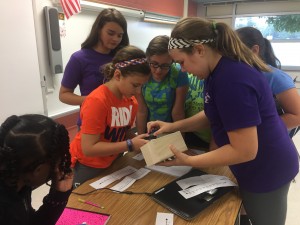
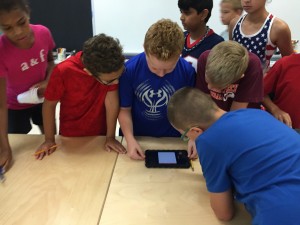
gps1Have you seen small groups of students running around hunting for boxes at your school lately?  If so, then you’ve seen us geocaching, a fun, active way to solve SOL related problems!  It’s a great way for students to move around outside while working in groups and solving SOL related problems.  They love it!!
Here’s the basic idea:  It’s like a high-tech scavenger hunt. The kids use a handheld gps units to find hidden boxes around the school yard (your ITRT will help you set this up ahead of time).  When they get to a box, they use clues inside to figure out the answer to a problem or complete and activitiy.
 
Currently we have sets of activities created (or being created) for the following units:
  • Regions of VA (4th)gps2
  • Pirate Math (end of 2nd)
  • Global Studies (5th)
  • Library (Genres)
  • PE (Fall activity involving math and PE)
  • Phases of the Moon (4th)
  • Weather
  • Native Americans (2nd)
  • Native Americans (4th)
  • Carnivore/Herbivoire/Omnivore (3rd)
  • Charlie and the Chocolate Factory
  • Musical Instrument Families

 We are coming up with more each day….and would be happy to create one for a different unit with your help if you have an idea!  If you are interested in trying out this activity with your students before it gets too cold, let me know.gps3

Inserting Pics into ActivStudio from a File

ActivStudio Directions, Roanoke County Schools  Tagged , , , No Comments »

There are many ways to add picture files to a Flipchart.  This is useful if you have taken pictures with a document camera, scanner, or digital camera and would like to then use them in your flipchart.

To view a full-size version of this screencast, click here.  You’ll probably want to do this…it’s small here!

Method 1: Click and Drag Between Folders:

  • Open the folder where the pictures are located.
  • Open a blank flipchart
  • Size the windows so you can see both of them.
  • Click and drag from the image from the File Window to FlipChart.
  • Choose “Add Object”

Method 2: Drop the file directly into the My Images folder

  1. Drop directly into My Documents>ActivStudio 3>My Images
  2. Open Up ActivStudio
  3. You will see the file in your resource folder under My Resource Library.

Method 3: Insert the File from Design Mode

  1. Turn on Design Mode while in ActivStudio
  2. Go to Insert>Image>From File
  3. Navigate to the file and click on it.
  4. Make sure to turn off Design Mode when you are done.

Method 4: Click and Drag Between Word and a Flipchart:

  • Open the Word Document.
  • Open a blank flipchart
  • Size the windows so you can see both of them.
  • Click and drag from file windoWord Doc to FlipChart.
  • Choose “Drop Image”

Method 5: Snap a Picture with the Camera Tool

  1. Open a ActivStudio
  2. Minimize the FlipChart
  3. Find the image on your computer
  4. Click the camera icon>Area
  5. Choose the area you want to save
  6. Choose the first icon ”To Current Flipchart Page”

With all but Method 2, you may want to drag the folder over to your Resource Library if you plan on using it more than once.

Office Picture Manager will help you edit your pictures before you insert them into a flipchart.  You can find it by going to Start>Programs>Microsoft Office>Microsoft Office Tools>Microsoft Office Picture Manage.  If you allow it to be your default picture editor, it will open picture files anytime you double click on them.

To learn more about the functions of Picture Manager, download this handout.

There are more ways to add images…these are just my favorite.  You don’t have to use all of the methods, just pick one that’s comfortable to you and stick with it.  If you want to share another way to add images, please comment below! :)


WordPress Theme & Icons by N.Design Studio. Hosted by Edublogs.
Entries RSS Comments RSS Log in